Table of Contents
Open Table of Contents
Résumé pour la direction
Scenario
Dans ce laboratoire, l’objectif était de rétablir l’accessibilité publique d’une machine virtuelle Azure hébergée dans le réseau virtuel nautilus-vnet en région West US, puis d’y publier un service web Nginx. Le dysfonctionnement principal provenait d’une configuration réseau incohérente entre le routage sortant, l’exposition publique de la machine et les règles de sécurité.
Le point critique était la présence d’une route définie par l’utilisateur (UDR) configurée en blackhole routing, c’est-à-dire avec un Next Hop positionné sur None pour la route par défaut 0.0.0.0/0. Dans un contexte d’entreprise, ce type de configuration bloque volontairement tout trafic, mais devient problématique si la machine virtuelle doit être publiée sur Internet.
Les exigences de la tâche étaient les suivantes :
- corriger le routage pour restaurer une sortie réseau valide ;
- associer une IP publique à la machine virtuelle ;
- autoriser le trafic HTTP entrant sur le port 80 ;
- installer et démarrer Nginx pour valider le bon fonctionnement de bout en bout.
La correction attendue consistait à mettre à jour la route UDR pour faire pointer 0.0.0.0/0 vers Internet, et non à supprimer la table de routage complète. Cette approche respecte une logique d’exploitation propre et maîtrisée.
Resolution
La remédiation a été réalisée avec succès sur l’environnement West US. Les quatre actions de dépannage ont été exécutées dans l’ordre logique :
- correction du routage UDR via le portail Azure ;
- association de nautilus-pip à la carte réseau de nautilus-vm ;
- vérification de l’ouverture des ports 80 (HTTP) et 22 (SSH) dans le NSG ;
- connexion SSH à la VM pour installer et lancer Nginx en ligne de commande.
Le résultat final a permis de restaurer la connectivité publique et de servir une page web via HTTP. La validation fonctionnelle confirme que l’architecture réseau est de nouveau cohérente.
Technical Implementation
Topology
The environment was deployed in West US and centered around these core Azure resources:
- Virtual Network:
nautilus-vnet - Virtual Machine:
nautilus-vm - Public IP:
nautilus-pip - Route Table:
nautilus-rtb
The troubleshooting scope covered four layers of the stack:
- Routing layer: A User-Defined Route (UDR) was blackholing default traffic (
0.0.0.0/0 -> None). - Public exposure layer: The VM NIC lacked a public IP association.
- Security layer: Inbound HTTP on port 80 needed validation.
- Application layer: Nginx required installation via SSH.
Architectural Insight
Blackhole routing occurs when traffic is intentionally sent to a non-forwarding destination. In Azure UDR terms, setting the route for 0.0.0.0/0 with Next hop type: None silently discards matching traffic. This is highly effective for strict traffic control, but prevents internet-facing services from functioning because return traffic is dropped.
The proper enterprise fix was to update the existing UDR to point to Internet. This preserves the route table as a managed governance object. Deleting the route table entirely would be a poor operational choice, as it removes the governance structure instead of correcting the specific faulty rule.
Removing an entire route table may introduce uncontrolled routing behavior and drift from enterprise network standards. Always adjust the offending route, not the container.
Action
The troubleshooting sequence followed a hybrid approach: structural network fixes were verified and applied via the Azure Portal, while OS-level configuration was executed via CLI.
1. Fix the Blackhole Route (Network Layer)
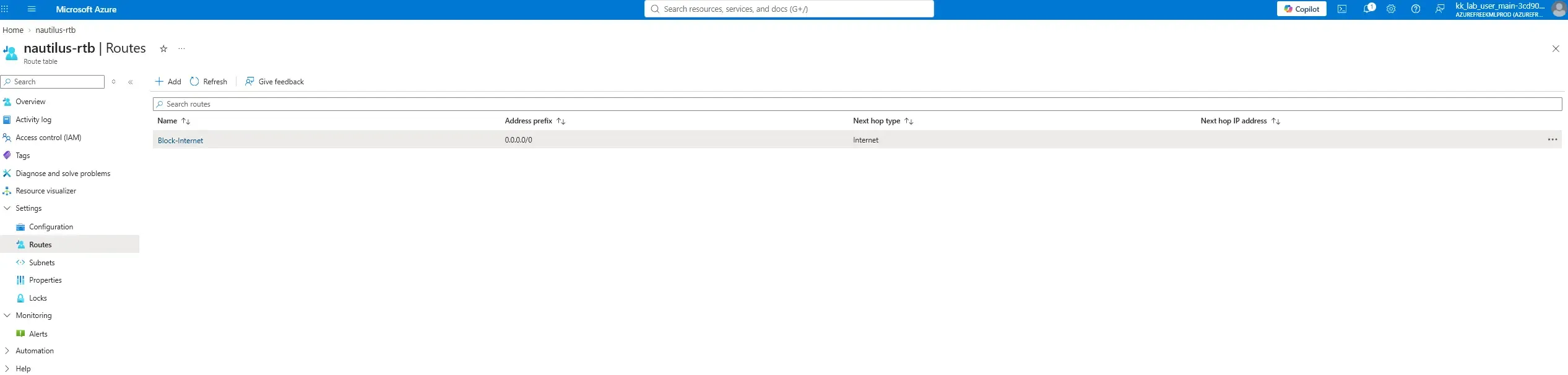
The UDR default route was configured with Next hop: None. This was manually updated in the Azure Portal to route 0.0.0.0/0 traffic to the Internet, restoring egress capabilities and allowing return traffic for inbound requests.
2. Associate Public IP and Validate NSG (Exposure Layer)
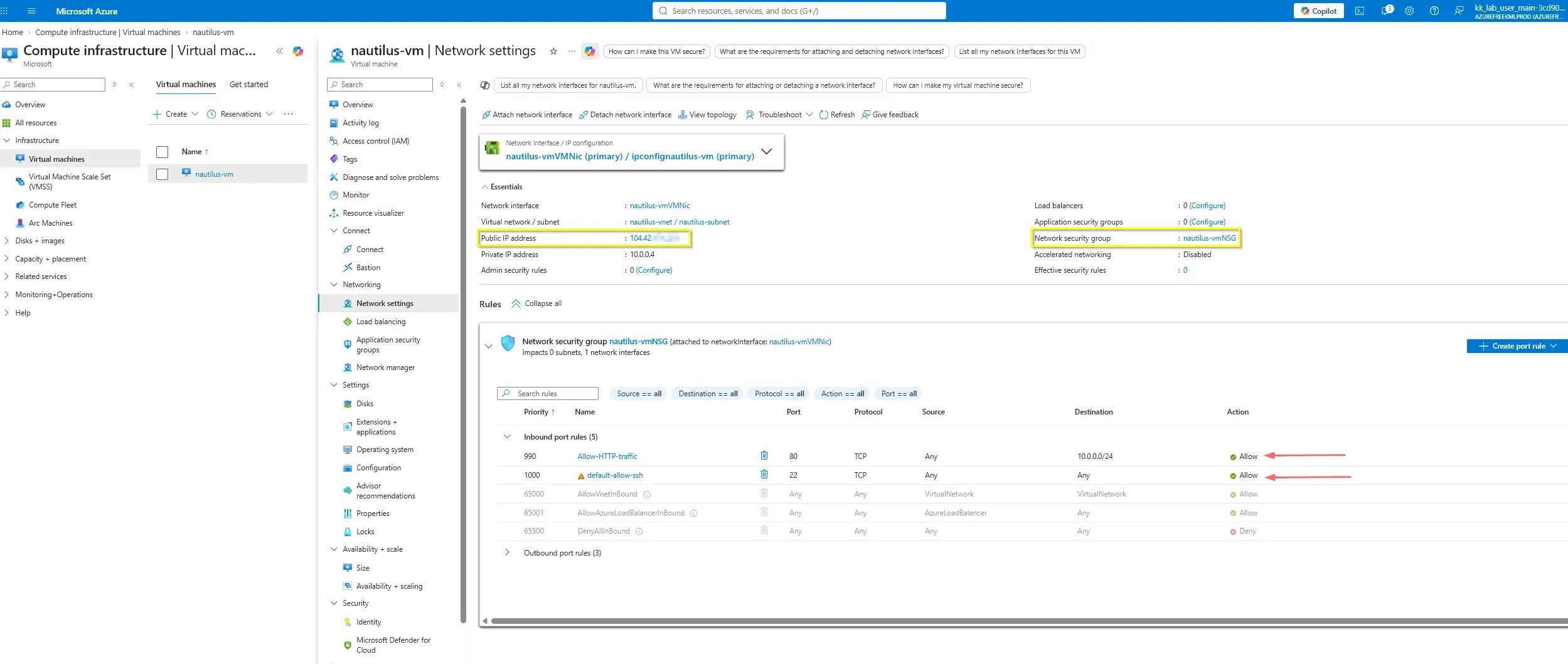
With routing restored, the VM required a public entry point. The existing public IP 104.42.x.x was associated with nautilus-vmVMNic. Concurrently, the Network Security Group (nautilus-vmNSG) was validated to ensure inbound rules for Port 80 (HTTP) and Port 22 (SSH) were explicitly allowed.
3. Access VM and Install Nginx (OS Layer)
With the infrastructure layer fully remediated, the VM became accessible over the public internet. The operator connected via SSH using the established key pair, updated the package lists, and installed Nginx.
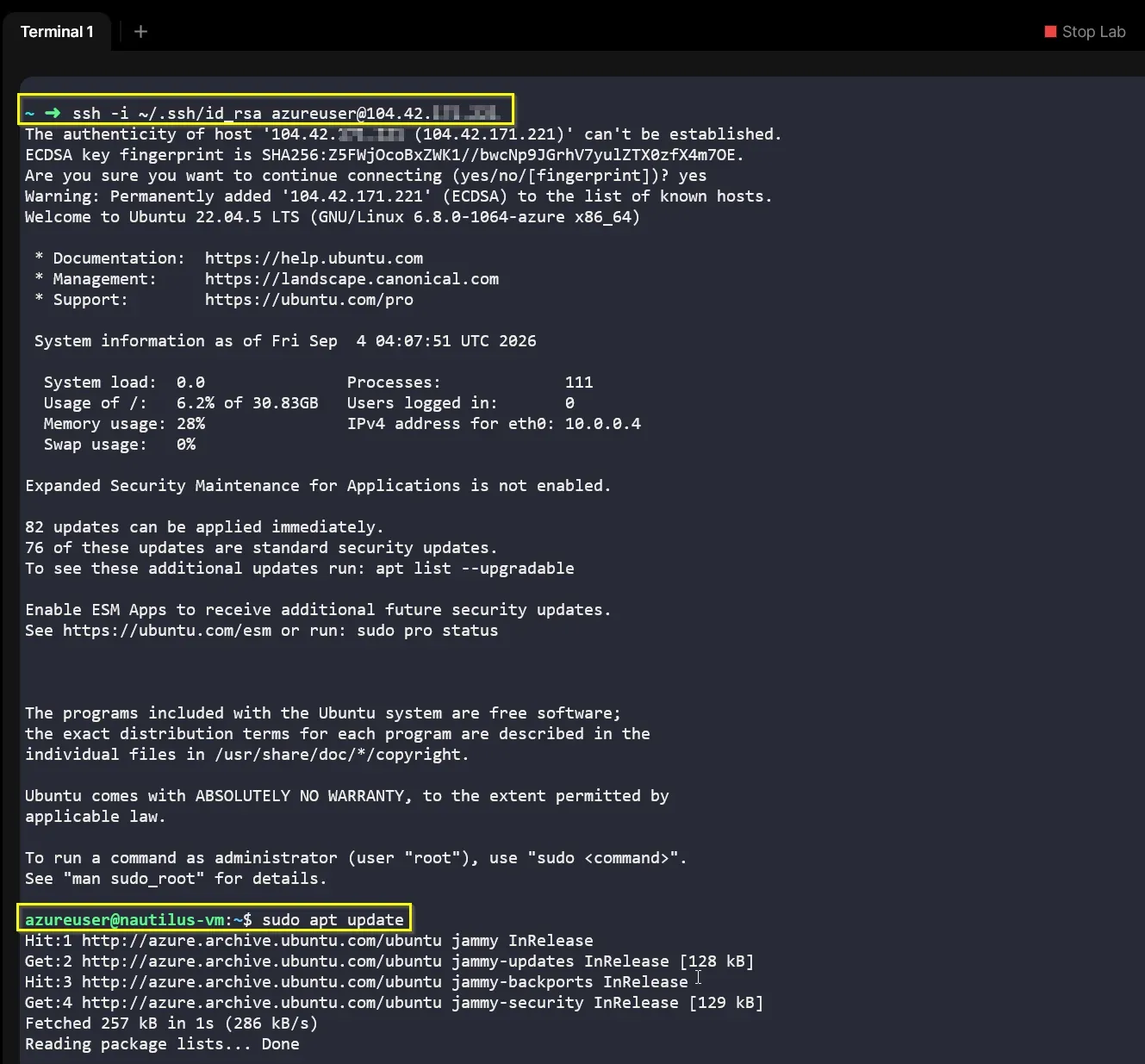
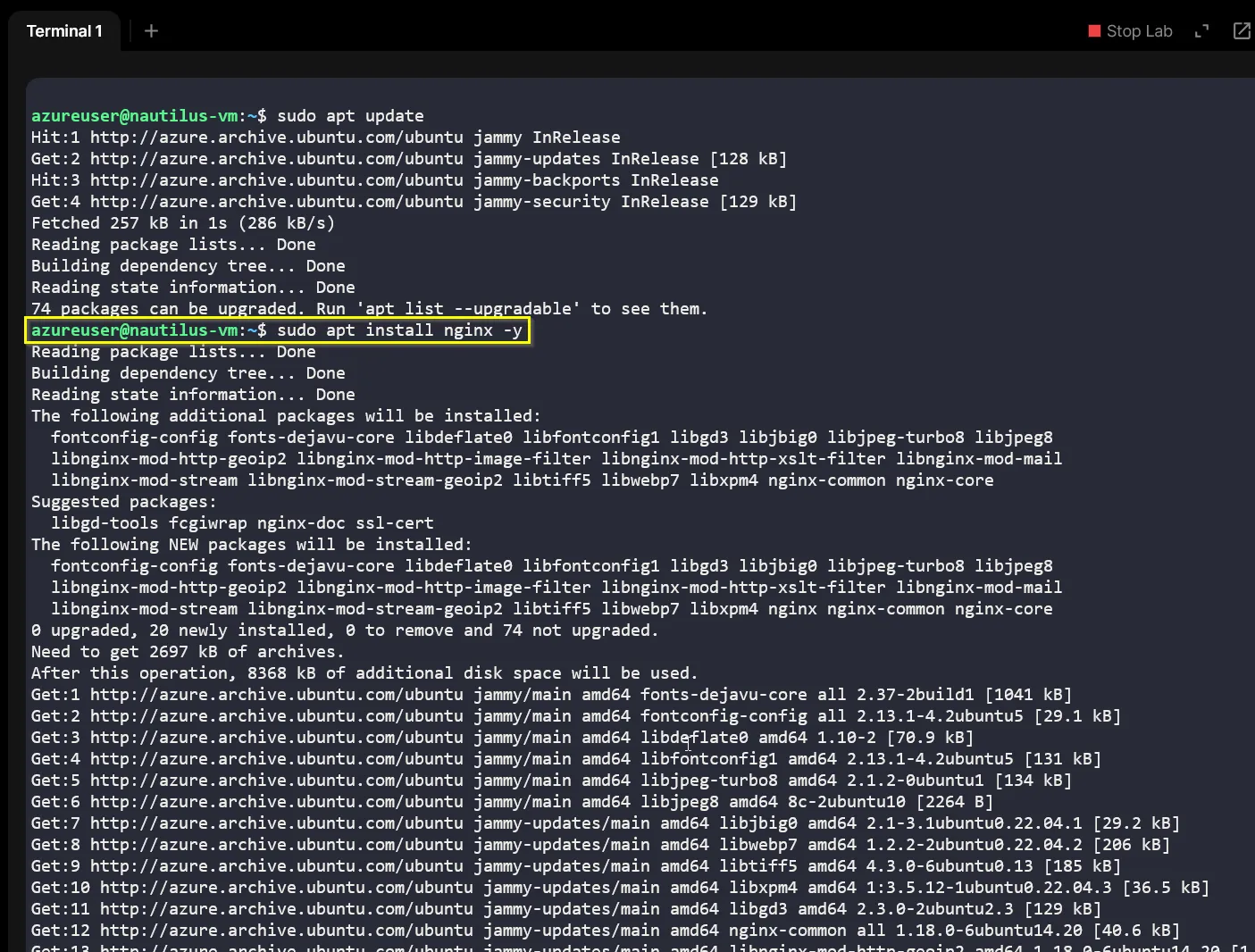
sudo apt update
sudo apt install nginx -yinstall-nginx.sh
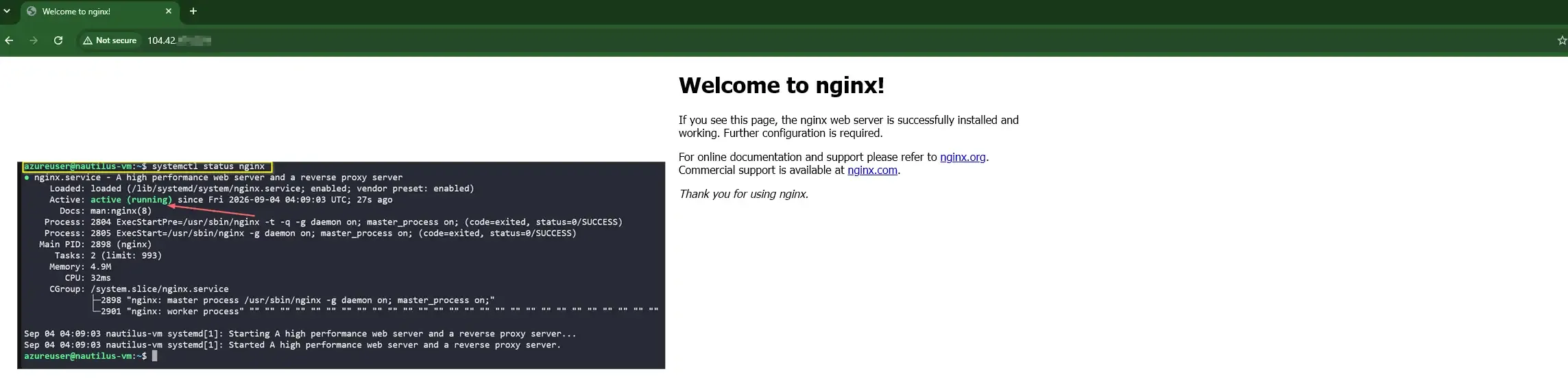
Following installation, the service state was verified using systemctl to ensure the daemon was actively running and listening for requests.
systemctl status nginxcheck-status-nginx.shThe active (running) status confirms that the package installation succeeded and the OS is correctly binding the service to the network interface.
4. End-to-End Validation
The final step validated the entire stack (Routing -> NSG -> NIC -> OS -> Nginx) by accessing the VM’s public IP via a standard web browser.
IaC Equivalent Azure CLI
IaC Equivalent: While this troubleshooting was performed via the Portal for immediate visual validation, the infrastructure fixes map directly to Azure CLI commands:
az network route-table route update \
  --resource-group <resource-group> \
  --route-table-name <route-table-name> \
  --name <route-name> \
  --address-prefix 0.0.0.0/0 \
  --next-hop-type Internetfix-udr-route.sh
az network nic ip-config update \
--resource-group <resource-group> \
--nic-name <nic-name> \
--name ipconfig1 \
--public-ip-address nautilus-pipassociate-public-ip.shaz network nsg rule create \
--resource-group <resource-group> \
--nsg-name <nsg-name> \
--name allow-http-80 \
--priority 1000 \
--direction Inbound \
--access Allow \
--protocol Tcp \
--destination-port-ranges 80allow-http-nsg.shssh azureuser@<public-ip> <<'EOF'
sudo apt-get update
sudo apt-get install -y nginx
sudo systemctl enable nginx
sudo systemctl start nginx
sudo systemctl status nginx --no-pager
EOFinstall-nginx.shA final browser or curl test can be used to verify the default Nginx page.
curl http://<public-ip>validate-http.shAdopting these commands is the logical next step for automated remediation pipelines.